Introduction
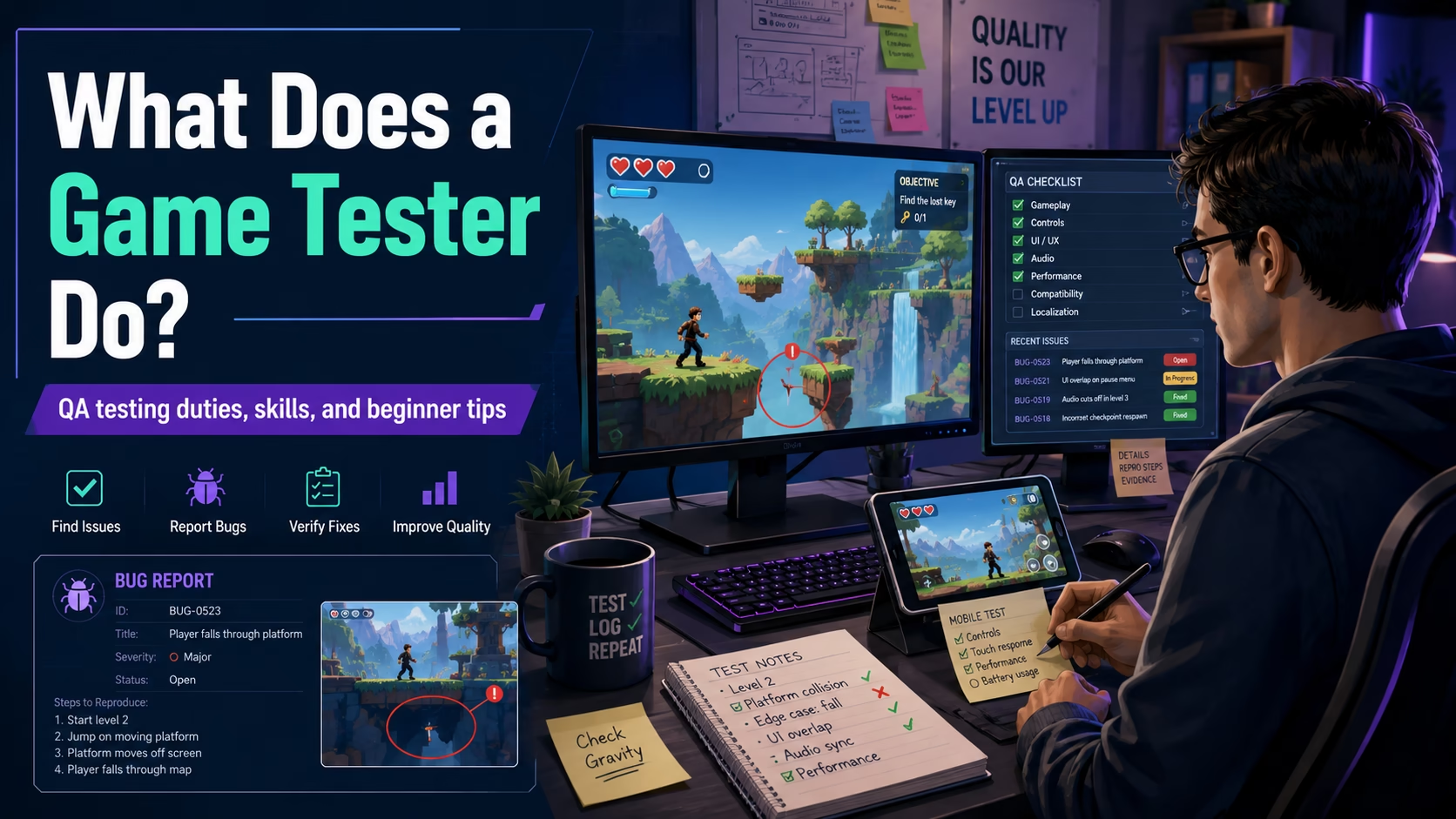
Many people imagine a game tester as someone who “plays games all day.” That image has a grain of truth-testers play the game-but the job is structured, focused, and often repetitive. Testers hunt for glitches, confirm features work as intended, and write clear reports so developers can fix problems. This guide explains what game testing really involves, with practical examples, a sample bug report, beginner exercises, and realistic tips for anyone curious about QA work in casual, mobile, or online games.
What Is a Game Tester?
A game tester is a person who checks a game for problems and confirms features behave as designed. Unlike casual play, testing follows specific goals: repeat actions, cover edge cases, and document failures. Think of a tester as a detective and a storyteller-find the issue and explain it clearly so others can reproduce and fix it.
What Does a Game Tester Do Every Day?
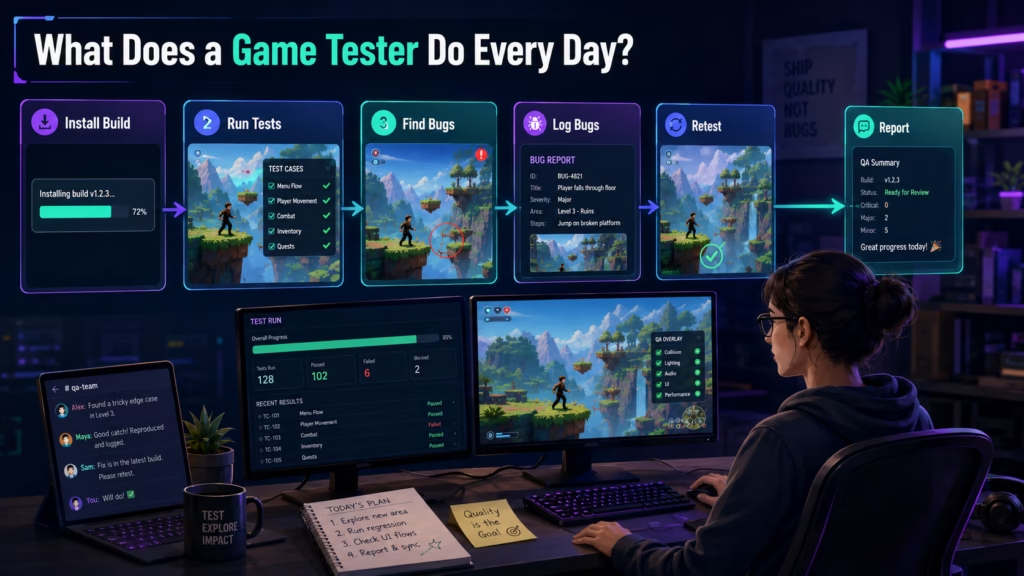
Daily work can vary by studio and project stage, but common tasks include:
- Download and verify the newest game build is stable enough to test.
- Run through test cases (documented steps) for features like login, menus, or rewards.
- Try to break features by doing unexpected or extreme things (e.g., tapping rapidly, switching networks).
- Log bugs with steps to reproduce and attach screenshots or video.
- Retest areas after a fix to confirm the bug is gone and didn’t create new problems.
- Communicate with developers and producers about priority issues.
- Maintain test checklists or spreadsheets for tracking coverage.
Casual Play vs Professional Game Testing
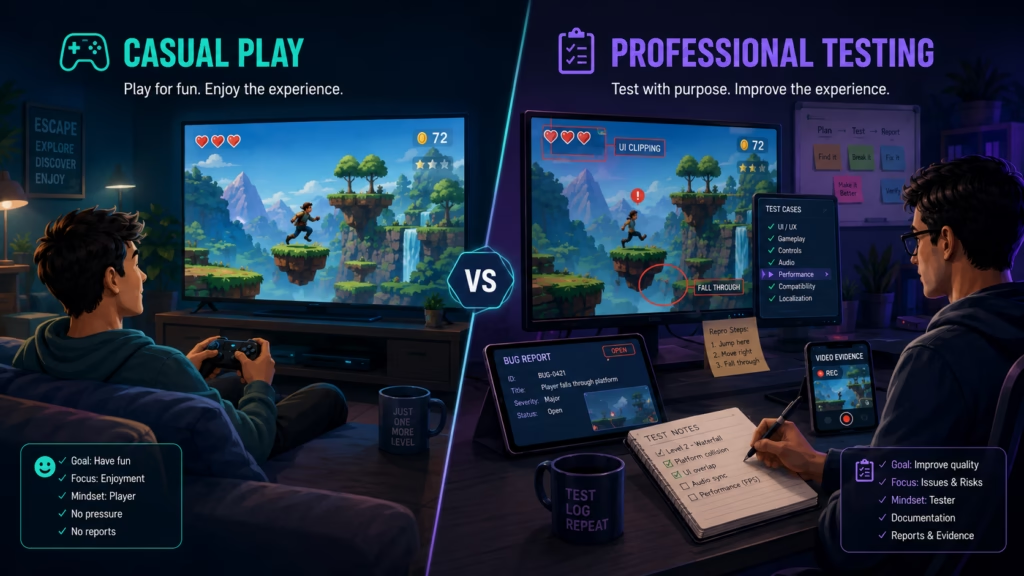
Casual players enjoy the experience; testers analyze it. Key differences:
- Purpose: Players seek fun; testers seek correctness and stability.
- Method: Testers follow test cases, use test accounts, and repeat scenarios; players explore.
- Attitude: Testers intentionally try odd inputs (mis-taps, poor network) to trigger bugs.
- Documentation: Testers log technical steps and evidence; players rarely record problems in detail.
Main Duties and Responsibilities
- Finding bugs: Spot where the game behaves incorrectly.
- Writing bug reports: Describe steps, attach evidence, and assign severity.
- Testing across devices: Ensure the game works on different phones, tablets, or PCs.
- UI testing: Verify buttons, layouts, and text fit screens and languages.
- Gameplay testing: Check core mechanics, balancing, progress, and rewards.
- Economy checks: Confirm coins, credits, and item counts update correctly.
- Account/login flow: Test sign-up, login, password reset, and social links.
- Retesting: Verify fixes and test related areas to avoid regressions.
Real Examples of Game Testing Tasks
Practical, everyday checks testers do:
- Reward popup check (casual/mobile): Play a quick level, confirm a “win” popup appears, and that claimed coins add to the player balance.
- Button responsiveness (mobile): Test the “Play” button on multiple screen sizes and with rapid taps to ensure it doesn’t misfire or open duplicate sessions.
- Offline behavior (online/mobile): Start a match, turn off Wi‑Fi, and observe how the game responds-does it pause, show an error, or drop progress?
- Matchmaking/room load (online): Join a multiplayer room and measure whether the lobby loads within acceptable time and players are synchronized.
- Back navigation (mobile): Open nested menus and tap “back” to ensure the previous menu restores correctly and no UI elements remain blocking input.
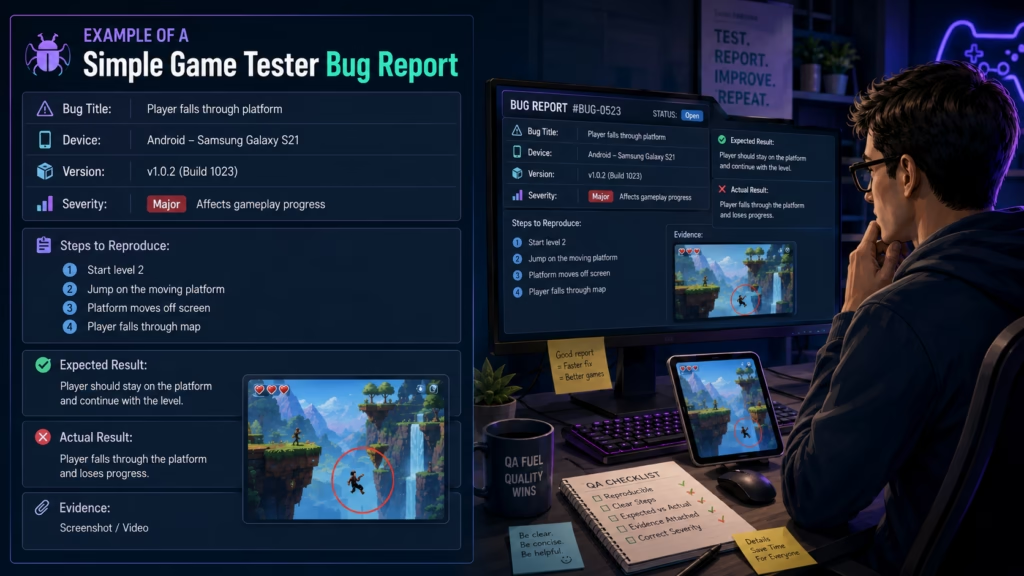
Example of a Simple Game Tester Bug Report
Bug title: Reward popup disappears and coins not added after level win
Device/platform: Android Pixel 4a (Android 12)
Game build/version: v1.2.3 (QA build 2026-05-10)
Steps to reproduce:
- Launch app and log in with test account.
- Start Level 7 and complete the level (win condition reached).
- On the level completion screen, tap the “Claim Reward” button.
- Observe the popup and player coin balance in the top-right corner.
Expected result:
- A reward popup appears, coins increase by the reward amount, and popup closes to show updated balance.
Actual result:
- Popup appears briefly, then closes automatically; coin balance does not change.
Severity: Major (affects progression/rewards)
Notes:
- Screen recording attached (reward_bug_20260510.mp4).
- Reproduced 3/5 attempts; happens mostly on slow network or immediately after app cold start.
- No error in logs visible on the device; server responded with success code when inspected.
Skills Needed for Game Testing
- Attention to detail: Small differences (a missing pixel or incorrect value) can point to bigger issues.
- Patience: Tests are repeated many times; patience helps avoid missed steps.
- Clear writing: Bug reports must let developers reproduce issues reliably.
- Communication: You’ll coordinate with designers, programmers, and producers.
- Basic technical understanding: Knowing how to capture logs, screenshots, or use a test build helps.
- Curiosity: Asking “what if I try this?” uncovers edge-case bugs.
- Problem-solving: Isolating when a bug happens and suggesting possible causes speeds fixes.
Tools or Platforms Game Testers May Use
- Bug trackers (to log and track issues)
- Spreadsheets and checklists (for test coverage)
- Screenshot and screen recording apps (evidence)
- Multiple test devices (phones, tablets, PCs, different OS versions)
- Game builds and install packages
- Log collection tools (to capture errors)
Note: Specific tools vary by company. These are common categories rather than required items.
Is Experience Required to Become a Game Tester?
Some testing roles are entry-level, but experience helps. Doing practical testing and maintaining clear sample bug reports shows competence. Hiring managers look for attention to detail, communication, and a willingness to learn-not always years of prior QA work.
How Beginners Can Start Learning Game Testing
- Play deliberately: Treat your play sessions like tests-note what you expected vs. what happened.
- Join public betas and test releases to practice reporting problems.
- Learn common QA terms (repro steps, regression, build, severity, priority).
- Keep a portfolio of sample bug reports and screenshots.
- Practice on small or free games where you can control the environment and reproduce issues.
Beginner Practice Exercises for Future Game Testers
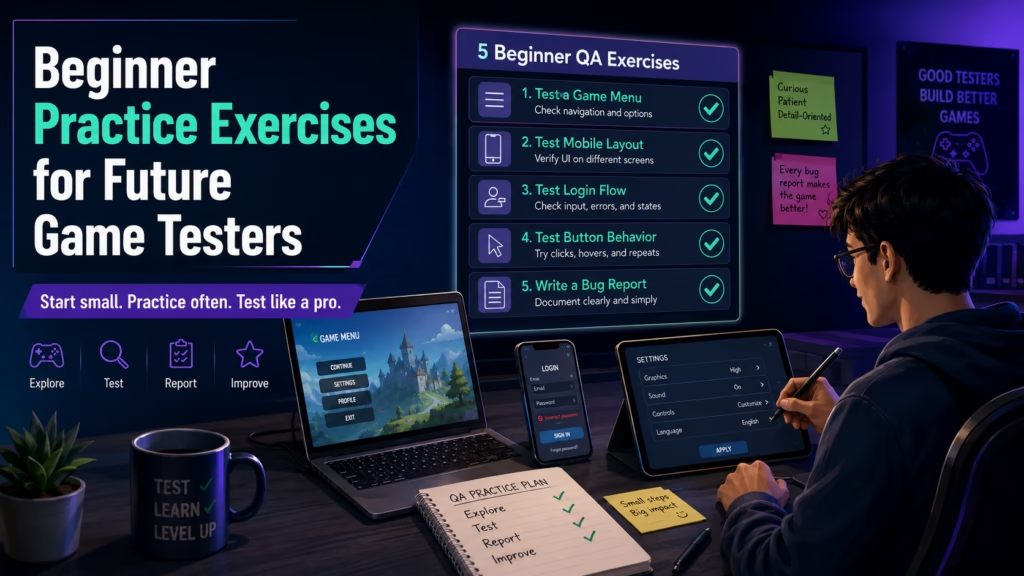
- Test a game menu
- Exercise: Open the main menu, go to settings, change audio and language, then return. Document any menu items that don’t save or display correctly.
- Why: Menus are common breakpoints for usability bugs.
- Test a mobile layout
- Exercise: On a phone and tablet, check the main screen for overlapping text, cut-off buttons, or misaligned icons.
- Why: Layout issues affect players on different devices.
- Test login or account flow
- Exercise: Create a new account, log out, log back in, and attempt password reset. Note errors and edge cases like duplicate emails.
- Why: Account flows impact access and retention.
- Test button behavior
- Exercise: Rapidly press important buttons (Play, Purchase, Share) and try tapping while a transition is loading.
- Why: Rapid inputs and race conditions often cause duplicate actions or crashes.
- Write a bug report from a free game
- Exercise: Find a reproducible bug in a free mobile game, take screenshots/video, and write a clear report with steps, expected vs. actual, and severity.
- Why: This builds a portfolio item and practices clear reporting.
Pros and Cons of Being a Game Tester
Pros:
- Learn the inner workings of games and common development workflows.
- Good entry point to other roles like QA lead, design, or production.
- Opportunity to play many builds and see iteration in action.
Cons:
- Repetitive tasks and regression testing can be tedious.
- Deadlines and “crunch” periods can mean long hours in some studios.
- Reporting requires precision and patience rather than just play.
Common Misunderstandings About Game Testing
- Myth: Game testers only play games for fun.
Reality: Testing is structured and aims at reproducible results, not entertainment.
- Myth: Testing is easy.
Reality: Finding tricky bugs and documenting them well takes skill and persistence.
- Myth: Testers only find obvious bugs.
Reality: Testers find subtle problems like memory leaks, race conditions, or desyncs in multiplayer.
- Myth: Testers don’t need technical knowledge.
Reality: Basic technical skills (logs, builds, devices) make testing far more effective.
- Myth: Testing is the same as reviewing a game.
Reality: Reviews are subjective; QA is objective and focused on correctness.
Related Gaming Jobs
- Game developer (programmer): Builds the game systems testers verify.
- Game designer: Defines mechanics and balance testers check.
- Player support agent: Handles player reports and account issues.
- Game moderator: Oversees community behavior and enforces rules.
- Community manager: Communicates with players and gathers feedback.
FAQ
Q1: Do I need a degree to become a tester?
A1: No single degree is required. Many testers have varied backgrounds. Demonstrable testing practice and clear communication matter most.
Q2: Can you test games remotely?
A2: Yes-many studios and freelance QA roles allow remote testing, but some in-house positions require office presence for secure builds or device pools.
Q3: How do testers prioritize which bugs to report first?
A3: Priority is based on severity (game-breaking vs. minor) and impact (affects many players vs. few). Testers mark issues so producers and developers can triage.
Q4: Is testing only for big AAA games?
A4: No-testing exists for indie, mobile, casual, and online games. Smaller teams may expect broader responsibilities; larger studios often have specialized QA teams.
Q5: How can I show I’m good at testing without industry experience?
A5: Build a small portfolio of clear bug reports, demonstrate familiarity with test cases, and show you can reproduce and document issues with screenshots or recordings.
H2: Final Thoughts
Game testing is a hands-on, detail-focused role that bridges play and production. It’s less about casual enjoyment and more about consistent, clear investigation and communication. If you enjoy solving puzzles, documenting problems, and learning how games are made, start practicing with small games, write tidy bug reports, and be patient-skills develop through practice, not guarantees.
Internal link suggestions:
- Play-Cute: How to Start a Career in Game Development
- Play-Cute: Mobile Game Testing Tips
- Play-Cute: Writing Better Bug Reports
- Play-Cute: Transitioning from QA to Game Design
(Reviewed for clarity and practical detail to avoid generic descriptions. Practice the exercises and keep a small portfolio of reports to show your skills.)