What Is Solitaire Battle? A Beginner’s Guide to the Card Battle Game
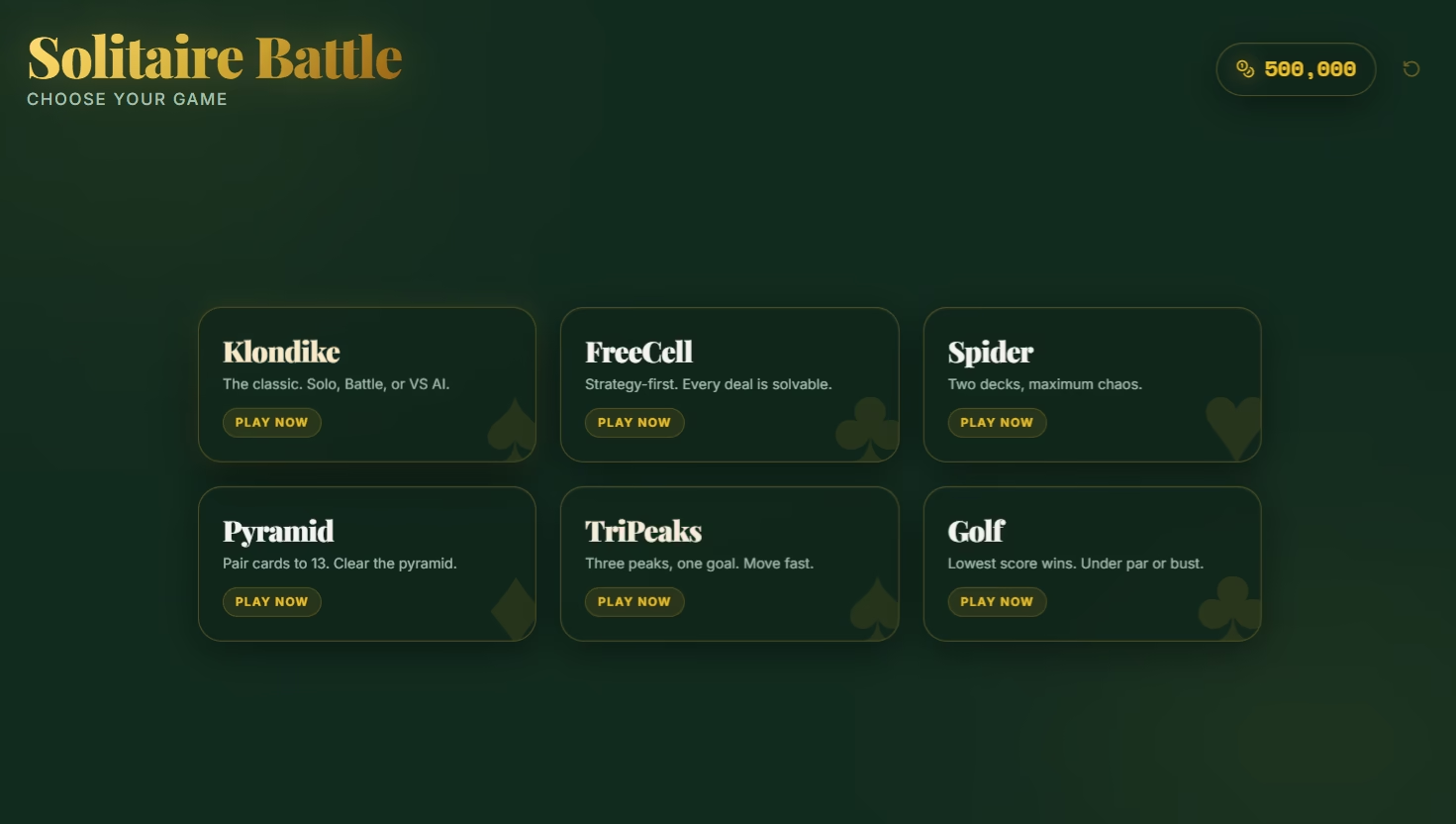
Solitaire Battle is a card game hub built around classic solitaire, but with a more competitive and reward-focused twist. Instead of playing only one version of solitaire, players can choose from different solitaire-style games, including Klondike, FreeCell, Spider, Pyramid, TriPeaks, and Golf.
The game keeps the familiar feeling of classic solitaire, but adds more ways to play. You can play alone, join battle rooms against other players, or challenge an AI opponent. This makes Solitaire Battle feel less like a single card game and more like a full solitaire arcade where each mode gives players a different goal.
Whether you want a simple solo game, a competitive race, or a quick duel against AI, Solitaire Battle gives you multiple ways to test your card skills.
Choose Your Solitaire Game
When players first enter Solitaire Battle, they are brought to the game selection screen. This is where they can choose which solitaire game they want to play.
The current game options include:
- Klondike
- FreeCell
- Spider
- Pyramid
- TriPeaks
- Golf
Each game has its own style. Klondike is the classic solitaire experience, FreeCell focuses more on planning, Spider uses two decks, Pyramid is about pairing cards to 13, TriPeaks is faster and more casual, and Golf challenges players to clear cards with smart sequencing.
For this guide, we will use Klondike as the main example. The reason is simple: the main flow is the same across the game. You choose a game, select a mode, play the match, and then check your result.
Pick Your Play Mode
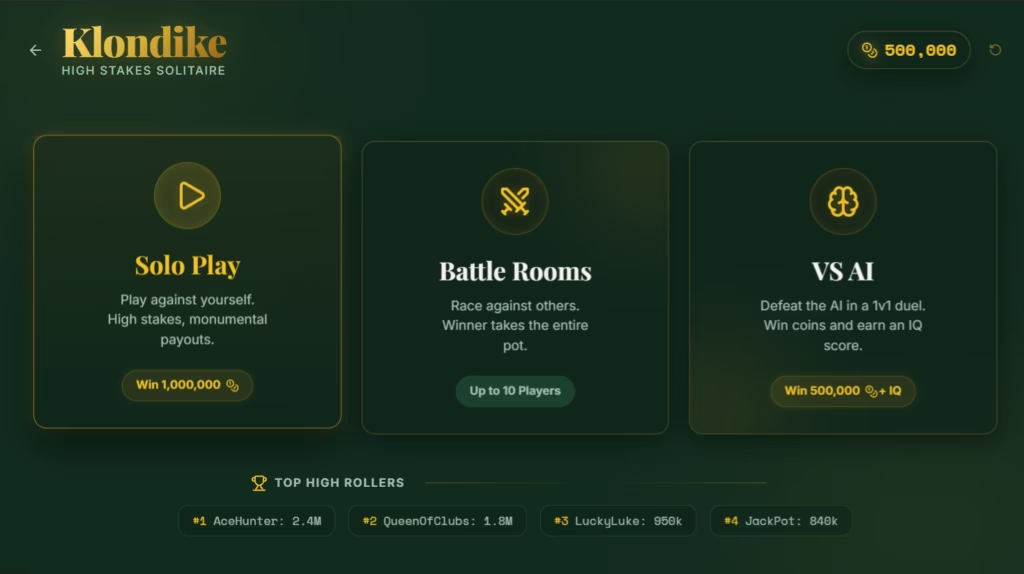
After choosing Klondike, players are taken to the game hub. This screen gives three main ways to play:
Solo Play is for players who want to play against themselves and aim for a big reward.
Battle Rooms are for players who want to race against others in a competitive room.
VS AI is for players who want a 1v1 duel against an AI opponent while also earning an IQ-style score.
This setup makes Solitaire Battle easy to understand. You do not need to learn a complicated menu. You choose the type of solitaire you want, then choose how you want to play it.
Solo Play: Play at Your Own Pace
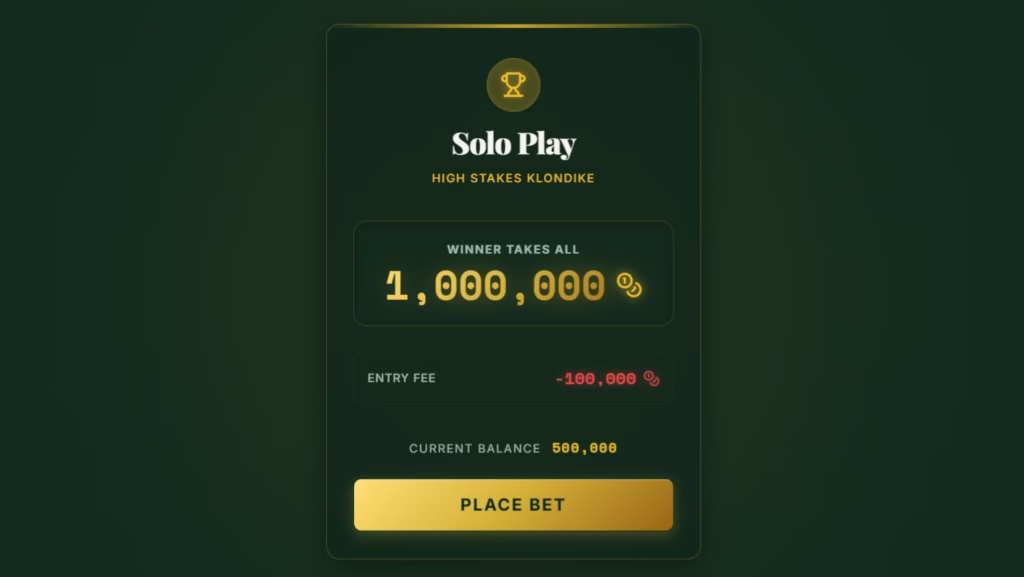
Solo Play is the simplest mode to understand. Before starting, players see a confirmation screen showing the prize, entry fee, and current coin balance.
In the Klondike Solo Play screen, the prize shown is 1,000,000 coins, with an entry fee of 100,000 coins. The button says Place Bet, which fits the high-stakes style of the game. You are not just starting a casual round; you are entering a coin-based challenge.
Once the player confirms, the match begins.
The gameplay screen shows the main Klondike board. Players can see the timer, move counter, progress bar, stock pile, tableau columns, foundation slots, restart button, and quit button.
The progress bar is important because it gives players a clear idea of how far they are from completing the game. In Klondike, progress is based on moving cards into the foundation piles until all 52 cards are cleared.
Solo Play is best for players who want to practice the game, understand the board, and improve their strategy without worrying about opponents.
Battle Rooms: Race Against Other Players
Battle Rooms are where Solitaire Battle becomes more competitive.
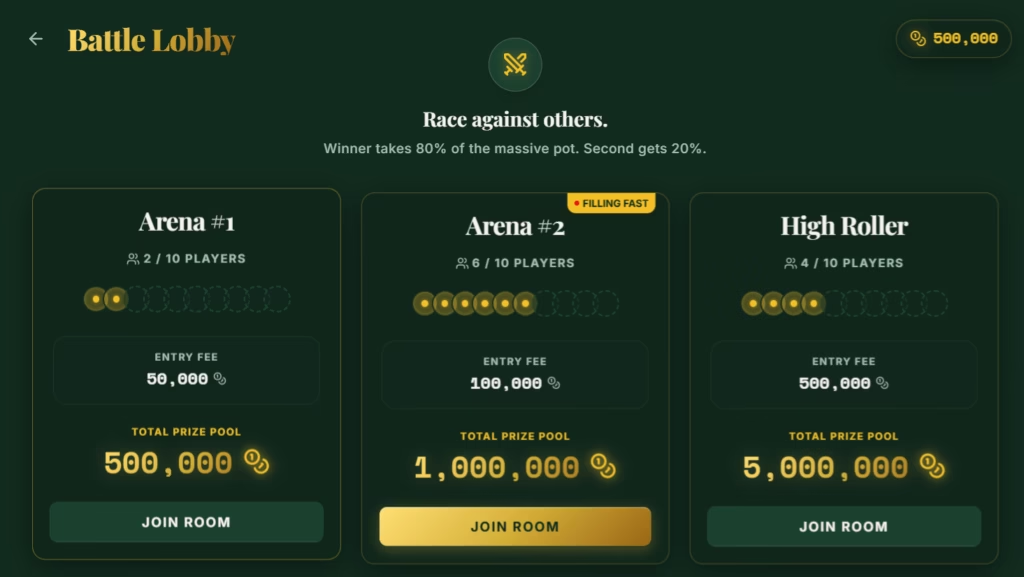
In the Battle Lobby, players can choose from different rooms such as Arena #1, Arena #2, and High Roller. Each room shows the number of players, the entry fee, and the total prize pool.
This screen is useful because players can decide what kind of match they want to join. A lower entry room may be better for casual play, while a higher roller room is for players who want a bigger prize pool.
The Battle Lobby also shows that rooms can support up to 10 players. This gives the game a race-style feeling, where everyone is trying to clear their board faster than the others.
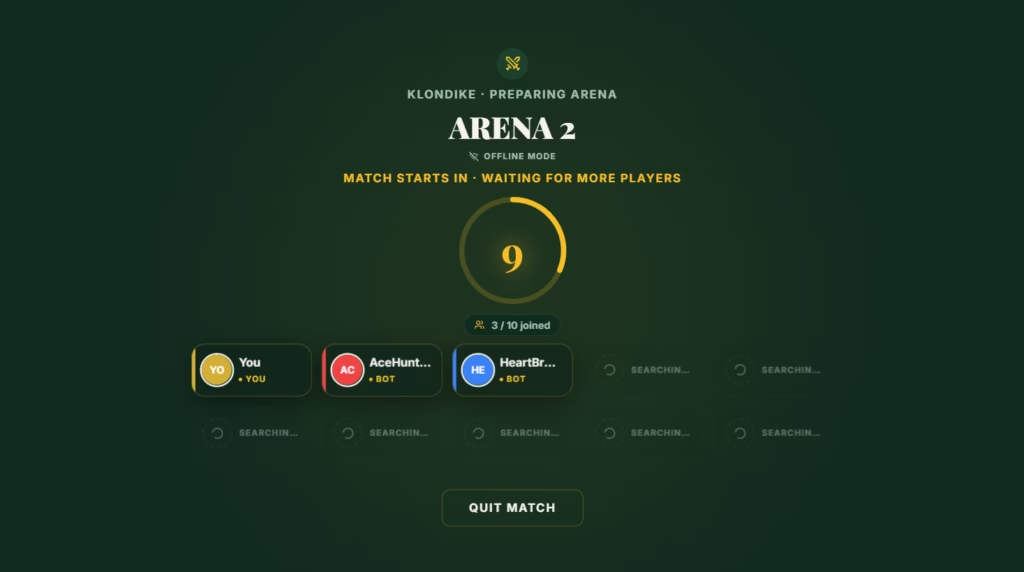
After joining a room, players enter the arena waiting screen. This screen shows the match countdown, joined players, bots, and open slots.
The waiting room gives the match a more live multiplayer feeling. You can see yourself, other players, and bots filling the room before the game begins.
Once the countdown ends, the battle starts.
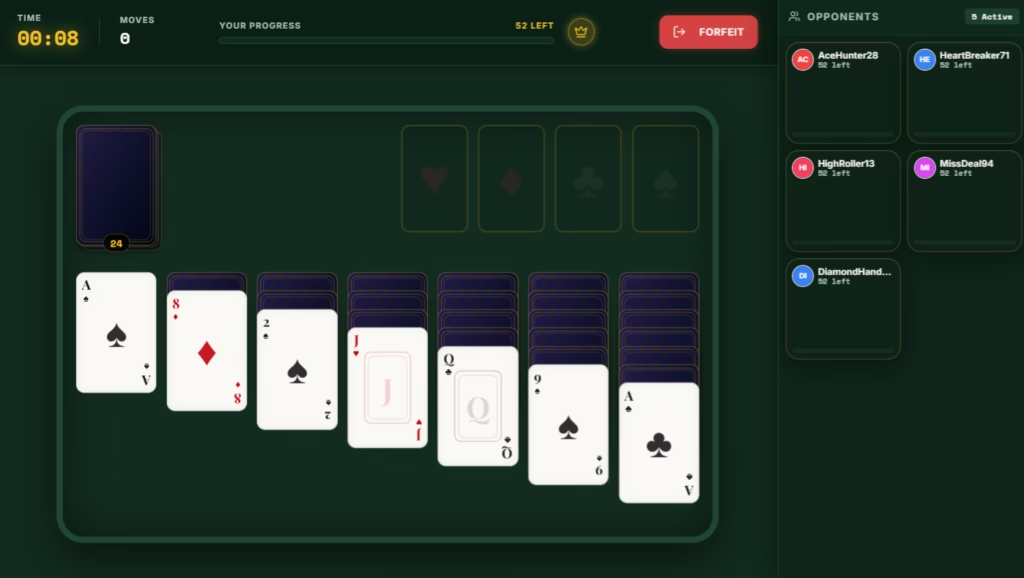
During Battle gameplay, the screen shows your own Klondike board on the left and the opponent panel on the right.
The opponent panel is one of the most important parts of Battle mode. It lets players see who else is active and how many cards they still have left. This makes the round feel more intense because you are not only solving your own board — you are also watching the progress of everyone else in the room.
The battle screen also includes a timer, moves counter, progress bar, and a forfeit button. This keeps the mode focused on speed, pressure, and decision-making.
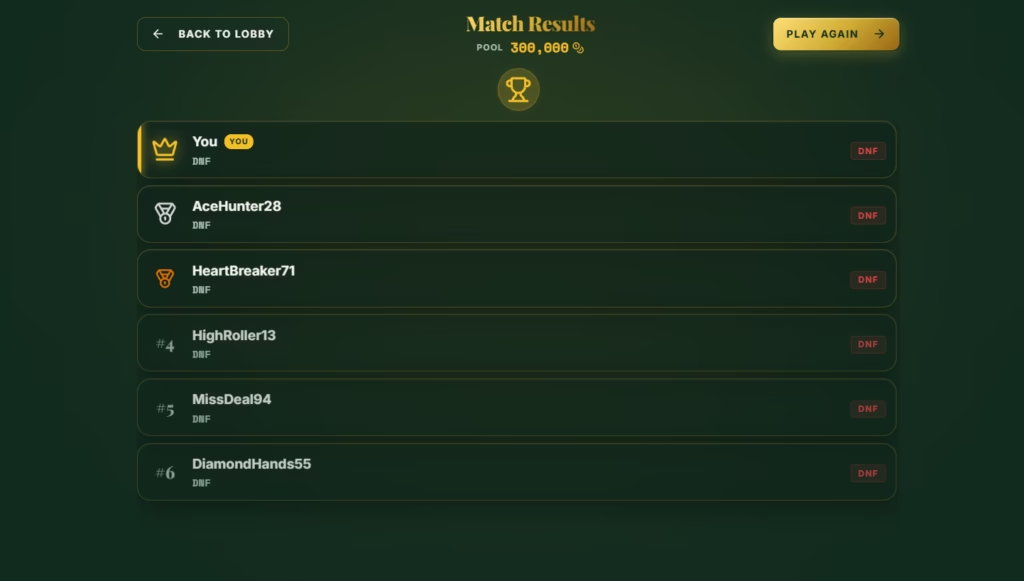
After the match ends, players are taken to the results screen. This shows the match pool, rankings, player names, and whether players finished or did not finish.
The results screen is important because it gives the match a clear ending. Players can see how they placed, return to the lobby, or play again.
Battle Rooms are best for players who enjoy competition and want more pressure than standard solitaire.
VS AI: Challenge the Computer
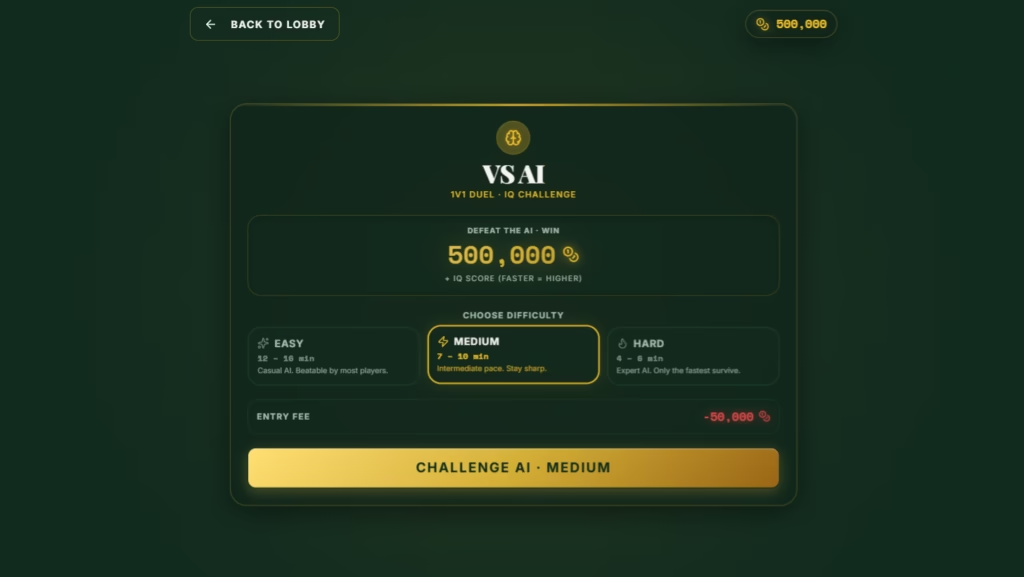
VS AI is a 1v1 challenge mode where players face an AI opponent.
Before starting, the screen shows the prize, AI challenge details, and difficulty options. In the Klondike example, players can choose between Easy, Medium, and Hard. The screen also shows that winning can reward 500,000 coins plus an IQ score.
The IQ score gives this mode a different feeling from Solo Play and Battle Rooms. Instead of only focusing on coins, VS AI also measures how well and how quickly the player performs.
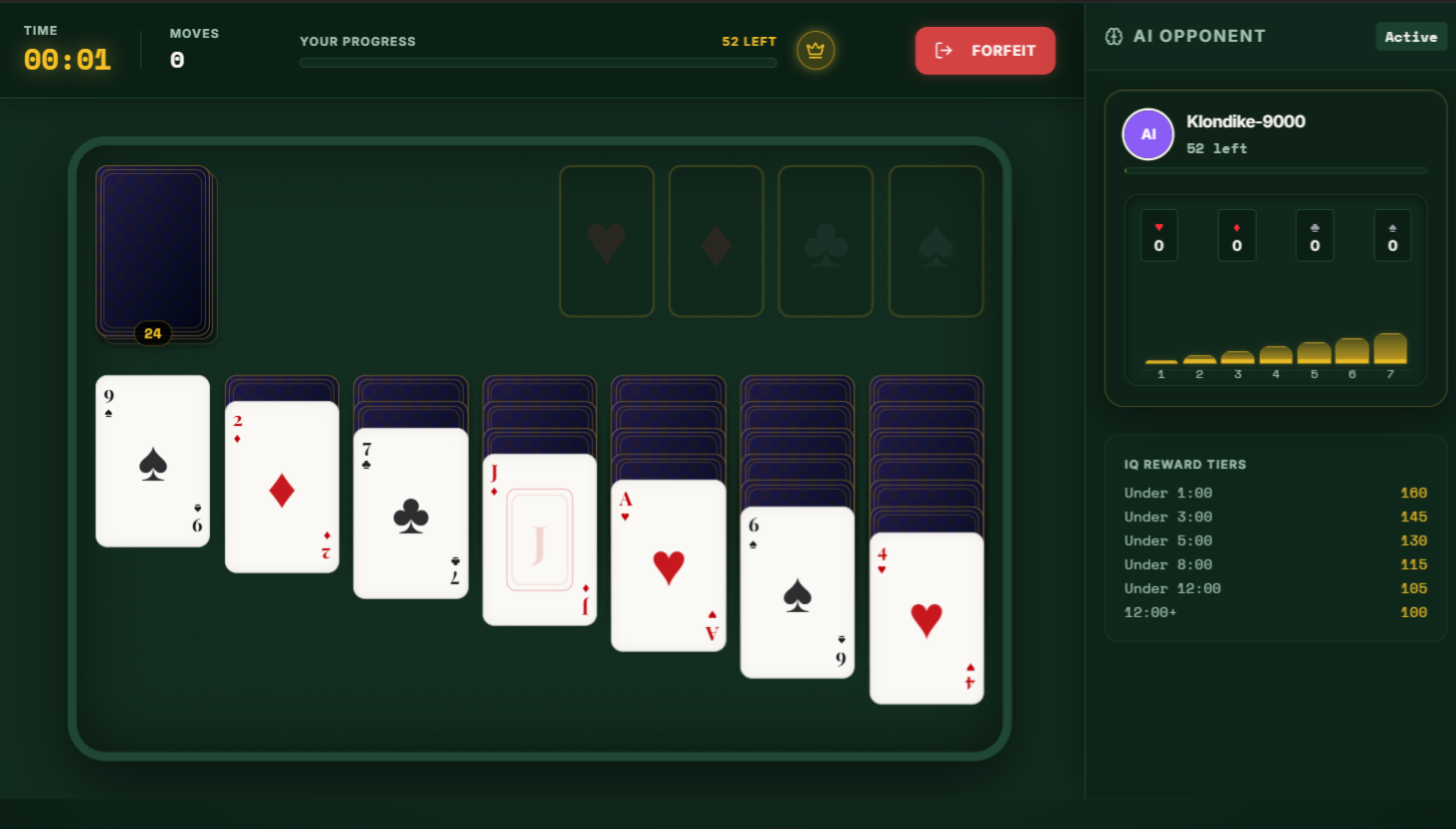
During the VS AI match, the player sees their Klondike board while the right side shows the AI opponent. The AI panel shows the opponent name, cards left, and progress indicators.
There is also an IQ reward tier panel. This rewards faster performance with a higher IQ score. For example, finishing under a shorter time gives a better IQ result.
This makes VS AI a good mode for players who want to practice with pressure but do not want to join a full multiplayer battle room.
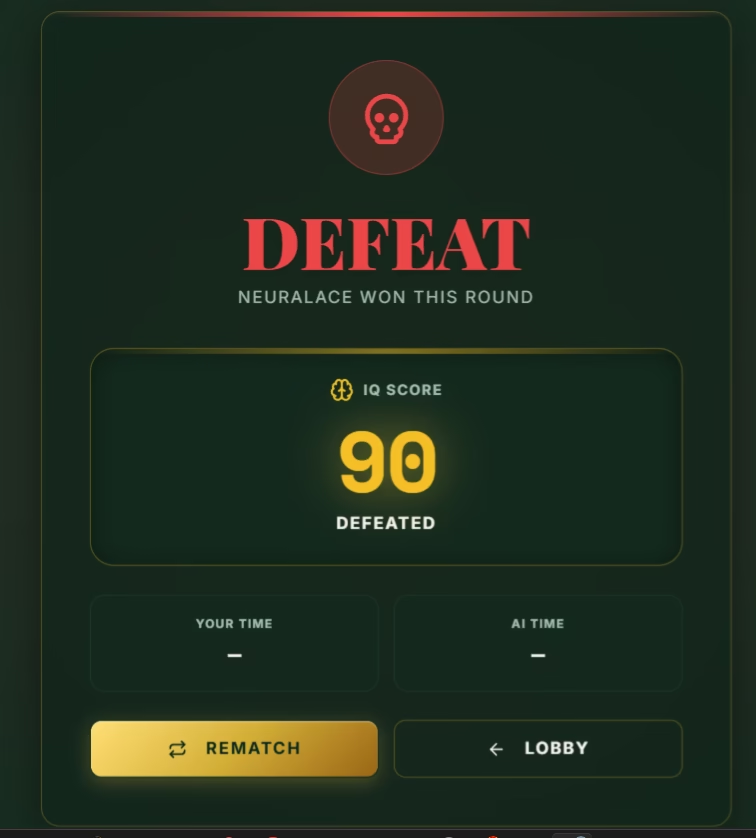
After the match ends, the VS AI results screen shows whether the player won or lost, the IQ score, and the match result.
In the screenshot example, the player lost to NeuralAce and received an IQ score of 90. The result screen also gives the option to rematch or return to the lobby.
VS AI is best for players who want a quick challenge, a measurable score, and a direct opponent without waiting for a full room.
Beginner Guide: How to Start Playing Solitaire Battle
Starting Solitaire Battle is simple.
First, choose a game from the main selection screen. New players may want to start with Klondike because it is the most familiar solitaire format.
Next, choose a mode. Solo Play is best for practice, Battle Rooms are best for competition, and VS AI is best for a direct challenge.
After choosing a mode, check the entry fee and reward. This is important because some modes require coins before you can start.
Once the match begins, focus on building progress. In Klondike, this means moving cards into the foundation piles and clearing the board. Watch the timer, move counter, and progress bar so you know how well you are doing.
When the game ends, check the results screen. From there, you can play again, return to the lobby, or try a different mode.
Tips for Playing Better
The first tip is to take your time in Solo Play. Even though the game has a timer, Solo Play is the best place to learn the board and practice your decisions.
The second tip is to watch your progress. In Klondike, progress is tied to how many cards have been moved into the foundation piles. If your progress is not moving, you may need to rethink your card order.
The third tip is to avoid rushing too much in Battle Rooms. Speed matters, but bad moves can block your board. A fast mistake can cost more time than a careful move.
The fourth tip is to use VS AI as training. Since the AI screen shows progress and IQ reward tiers, it gives players a good way to test their speed and improvement.
The fifth tip is to pick the right room. If you are still learning, start with smaller entry rooms before moving into higher-stakes matches.
Why Solitaire Battle Feels Different
Solitaire Battle works because it takes a familiar card game and gives it more goals.
Traditional solitaire is usually a solo experience. Solitaire Battle keeps that option, but also adds competition, coins, rooms, AI challenges, progress tracking, and results screens.
The game does not force players into one style. Some players can enjoy relaxing solo games, while others can chase bigger rewards in Battle Rooms or test themselves against AI.
That flexibility is what makes the game feel more complete. It is not just “play solitaire and finish the board.” It is choose your game, choose your challenge, and try to win.
Final Thoughts
Solitaire Battle is a strong option for players who enjoy classic card games but want more excitement than regular solitaire. With six game types, three play modes, coin-based rewards, multiplayer-style battle rooms, and AI challenges, the game gives players several ways to enjoy solitaire.
Klondike is a great starting point, especially for beginners, but the game also offers FreeCell, Spider, Pyramid, TriPeaks, and Golf for players who want variety.
For new players, the best path is simple: start with Solo Play, learn the board, try VS AI, then join Battle Rooms when you are ready for real competition.